
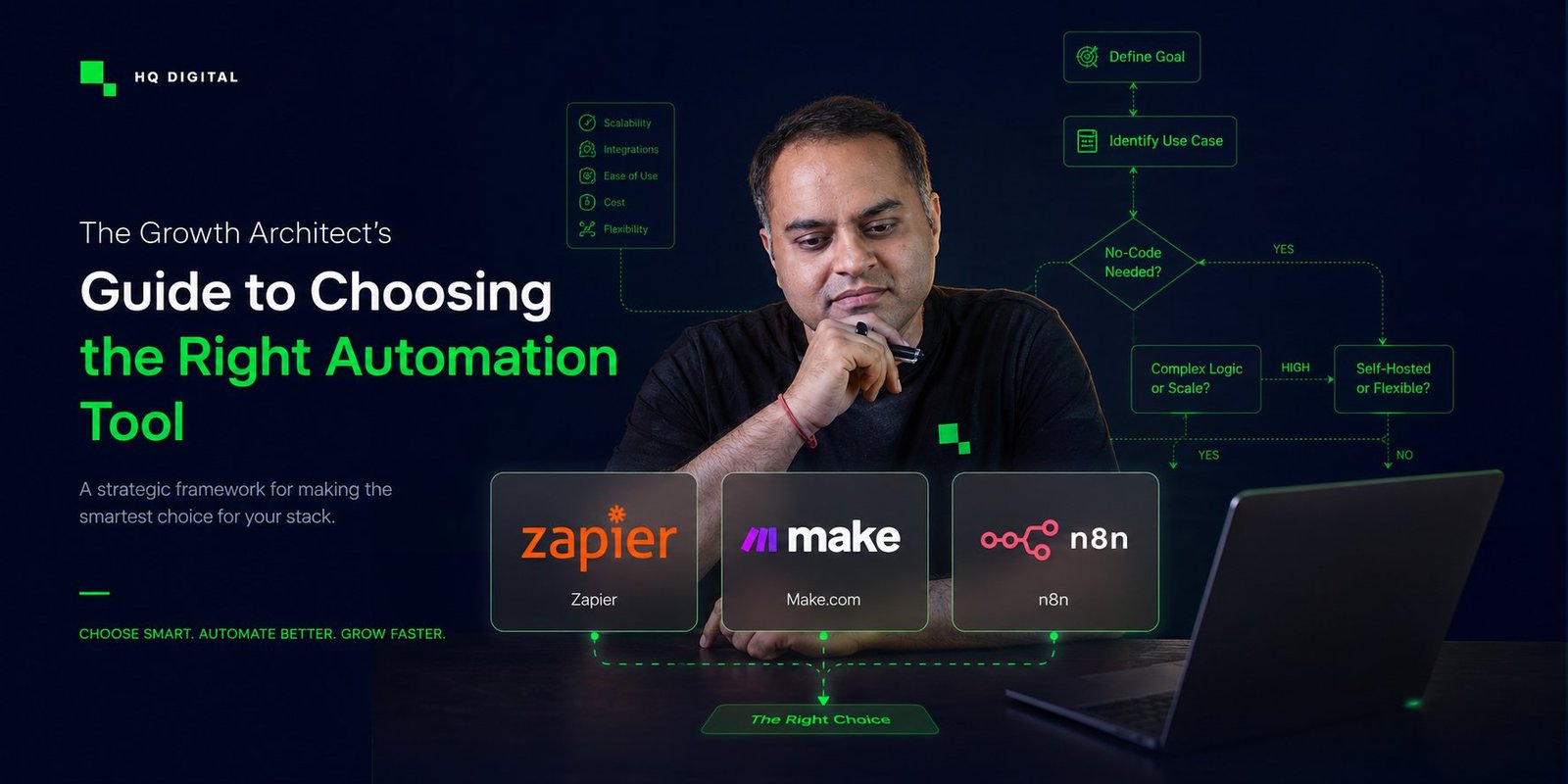
Stop overthinking the tool. This is a decision-logic framework for choosing between Zapier, Make.com, and n8n — with 12 real marketing use cases and a clear verdict for each.
By Apurv Singh · Growth Architect, HQ Digital · ~14 min read
The Real Problem (And It’s Not What You Think)
You’re standing in front of three automation tools. Zapier looks simple. Make.com looks powerful. n8n looks intimidating. And you’re wondering: “Which one do I pick?”
Here’s what I want to tell you upfront: Stop overthinking the tool. Start thinking about your logic.
I’ve built workflows in all three. I’ve trained hundreds of marketers on automation. And the biggest insight I’ve had is this: The tool you choose is secondary. The decision logic you define is primary.
Let me explain what I mean.
Decision Logic > Tool Choice
When I built my first workflow in Make.com, I spent 4-5 hours on it. It looked intimidating at first. But here’s what happened: I took a screenshot of every single step. Every click. Every configuration. I shared all of it with Claude. Claude guided me through each one.
“Where do I click here?” “What goes in this field?” “What should this condition be?”
And as I built it, something shifted. I wasn’t learning the tool. I was learning how to think about workflows. I was learning how to define rules. How to say: “If this happens AND that condition is true, THEN do this.”
That’s decision logic.
Once you understand your decision logic, you can use any tool. Zapier, Make, n8n, even a spreadsheet with formulas. The tool is just the vehicle.
But here’s what most marketers get wrong: They pick the tool first, then try to force their workflow into it. That’s backwards.
Here’s the right sequence:
- Define your workflow (what happens first? what are the decision points? what’s the output?)
- Define your rules (when does this fire? under what conditions? what data triggers this?)
- Pick the tool that fits those rules best
- Build it
Not the other way around.
The right sequence
1
Define the workflow
What happens first? What is the output?
2
Define the rules
When does it fire? Under what conditions?
3
Pick the tool
Match the tool to the rules — not the reverse.
4
Build it
Even if it takes 4–5 hours. That is the leverage.
The Confidence You Get Is Unparalleled
Here’s what nobody tells you: Once you build your first workflow—regardless of the tool—something changes. You feel like you have a superpower.
Why? Because you just realized that rules-based systems can automate 80% of the repetitive work in your marketing. You can take a process that takes your team 2 hours daily and reduce it to 5 minutes of automation. You just did that. You understand how to build it.
And if you have marketing experience (which you do), if you understand audience dynamics, if you understand creative strategy, if you understand performance metrics—then you’re not intimidated by the technical side anymore. The technical side is just implementing your business logic.
That’s leverage.
The Kill/Hook/Marry Framework
Okay, so how do you actually choose between these three tools?
I use a simple framework: Kill, Hook, Marry.
Kill: Don’t use this tool for this job. It’s the wrong fit. Hook: It works for this, but it’s not what the tool is built for. Use only if you have to. Marry: This is the one. It’s built for this job. Long-term play.
Here are the most common use cases marketers face, mapped to each tool.
Use Case 1: Form Submission → Email List
“Someone fills out my lead magnet form. I want them instantly added to my email list.”
Killn8nWrong fit
n8n is designed for complex workflows, AI integration, and custom logic. Using it to add someone to an email list is like using a fighter jet to go to the grocery store. It’s overkill. You’re adding unnecessary complexity.
HookMake.comWorks, not ideal
Make.com can do this. It can handle the webhook from your form, grab the email, and push it to your email platform. It works. But you’re paying for logic capabilities you don’t need here. This use case doesn’t require conditional routing or multi-step decision trees. Make will feel like overkill too, just less so than n8n.
MarryZapierThe one
This is what Zapier was built for. Form → Email list. One step. Five minutes to set up. 99.9% uptime. Zapier handles millions of these workflows daily. It’s rock solid, it’s simple, and it’s cheap (₹500-1,000/month for standard usage). This is the right tool.
The business logic: Simple 1:1 sync. No conditions. No routing. Just “when A happens, do B.”
—
Use Case 2: Lead Scoring (Multi-Condition Routing)
“If a lead’s ad spend is above ₹500 AND they’re from a high-intent source AND they’ve visited my pricing page, send them to my sales team. Otherwise, send them to the nurture sequence.”
KillZapierWrong fit
Zapier has conditional logic, but it’s clunky for multi-condition scenarios. You can do “if X then Y,” but “if X AND Y AND Z then A, else B” becomes messy. Zapier treats each condition separately. For lead scoring—which requires layered logic—you’re fighting the tool.
Hookn8nWorks, not ideal
n8n has the raw power to handle this. You can build complex logic flows with multiple conditions. It works. But it feels over-engineered for what you’re doing. You’re using a tool that was built for AI pipelines to score leads. It’s like using a semi-truck to move one box.
MarryMake.comThe one
This is what Make was architected for. Multi-condition routing. If/Then/Else branches. You can have multiple decision trees firing simultaneously. Make has a visual interface that makes routing logic intuitive. You can see the flow: “If A and B and C, do this. Else if D, do that. Else do this other thing.” This is Make’s sweet spot.
The business logic: Conditional routing based on audience attributes and behavior. You’re making decisions about where each lead goes based on multiple signals.
—
Use Case 3: AI-Powered Content Generation
“I want to take my top 10 Instagram posts, analyze what made them work, extract the hooks, and generate 50 new content angles using Claude.”
KillZapierWrong fit
Zapier doesn’t have native AI integration. You can use OpenAI connector, but it’s basic. You can’t easily chain Claude prompts together. You can’t maintain context across multiple API calls. Zapier wasn’t built for this. Using it for AI workflows feels like using a hammer to fix a computer.
HookMake.comWorks, not ideal
Make has AI blocks. They’ve added OpenAI, GPT-4, and other AI integrations. You can build AI workflows in Make. But here’s the thing: the AI integration feels tacked on. It doesn’t feel native. You’re not streaming responses. You’re not maintaining context well. Context memory across steps is clunky. It works, but you’re not getting the best out of your AI tool.
Marryn8nThe one
n8n has native Claude and OpenAI nodes. You can:
- Fetch data from one source
- Pass it to Claude with a custom prompt
- Stream the response
- Use that output as input to the next step
- Maintain conversation context if you need it
n8n was built for this. The AI integration is first-class. You can build agentic workflows where the AI makes decisions, processes data, and generates content. This is what n8n excels at.
The business logic: You’re building an intelligent workflow where AI isn’t just a tool, it’s a decision-maker. You need streaming, context, and complex prompt chaining.
—
Use Case 4: Real-Time Performance Alerts
“When my Meta ad spend crosses ₹10,000 in a day, send me a Telegram alert immediately. Don’t wait. Now.”
KillZapierWrong fit
Zapier checks integrations every 15 minutes (or 5 minutes on paid plans). Real-time means “within seconds.” Zapier can’t do that. You could wait 15 minutes to find out your budget is blown. That defeats the purpose of a real-time alert. Wrong tool for the job.
Hookn8nWorks, not ideal
n8n supports webhooks and polling. You can set it up to fire when certain conditions are met. It works. But n8n isn’t optimized for speed. The execution time can be unpredictable. And for something that should take milliseconds (check a value, send a message), you don’t need all of n8n’s power.
MarryMake.comThe one
Make is built for real-time execution. When you set up a webhook trigger, it fires instantly. Make’s infrastructure is optimized for webhook-triggered workflows. You get a webhook URL from Make, you register it with Meta, and the moment your spend hits the threshold, Make receives the webhook and executes your workflow. Milliseconds. This is Make’s playground.
The business logic: Event-driven, time-sensitive execution. You need speed and reliability. When X happens, immediately do Y.
—
Use Case 5: Dynamic Email Segmentation
“Send different emails based on which platform brought the lead in. Meta leads get Sequence A. Google leads get Sequence B. Direct leads get Sequence C.”
Killn8nWrong fit
You could theoretically do this in n8n, but you’re using a fighter jet to deliver mail. n8n is built for intelligent automation, not simple routing. Setting this up in n8n would involve building a logic flow that’s way more complex than the actual task.
HookZapierWorks, not ideal
Zapier can do this with conditional logic. You can route based on the source platform. But if you want to add more sophisticated segmentation later—like “also check purchase history” or “check last email open date”—Zapier starts to feel limited. You’d need multiple Zaps, and managing them becomes messy.
MarryMake.comThe one
This is Make territory. One workflow, multiple conditional branches. Each lead comes in, Make checks the platform (or any other attribute), and routes to the right sequence. You can layer conditions easily. You can add more logic without rewriting the whole thing. Make is built for this type of multi-condition routing.
The business logic: Attribute-based routing with multiple decision branches. Simple logic, but multiple branches.
—
Use Case 6: Niche API Integration
“My analytics tool (proprietary platform) doesn’t have a pre-built Zapier integration. I need to pull data from their API, transform it, and push it to my CRM.”
KillZapierWrong fit
Zapier relies on pre-built integrations. If your tool isn’t integrated, you’re stuck. You can use Zapier’s Webhooks, but the API flexibility is limited. You can’t easily add custom headers, transform JSON responses, or handle complex authentication. Zapier wasn’t built for custom API work.
HookMake.comWorks, not ideal
Make has HTTP module that lets you make custom API calls. You can build API integrations. It works. But the interface isn’t as clean as n8n’s, and troubleshooting is harder. You’re fighting the tool a bit.
Marryn8nThe one
n8n’s HTTP node is powerful. You can:
- Set custom headers
- Handle any authentication method
- Transform the response however you want
- Chain it with other steps
- Debug easily
n8n is built for developers and technical marketers who need flexibility. Custom API integration is a first-class use case. You get granular control.
The business logic: You’re connecting systems that don’t have pre-built integrations. You need flexibility and control.
—
Use Case 7: Competitor Monitoring + AI Analysis
“Track my top 5 competitors’ Instagram posts daily. Extract the hooks. Analyze what’s working. Feed the insights to Claude. Get back a report of what I should test.”
KillZapierWrong fit
Can’t do real-time scraping. Can’t chain multiple API calls well. Can’t maintain context for AI analysis. Wrong tool completely.
HookMake.comWorks, not ideal
Can do parts of this. Can fetch posts. Can feed to AI. But lacks the flexibility for custom scraping logic and context management.
Marryn8nThe one
Perfect for this. You can:
- Use HTTP nodes to scrape competitor data
- Parse the data (images, captions, engagement)
- Feed it to Claude with context (“analyze these posts in the context of my niche”)
- Get back structured insights
- Store in Airtable or wherever
This is agentic automation. n8n is built for it.
The business logic: Multi-step intelligent workflow with custom data fetching, analysis, and decision-making.
—
Use Case 8: Scaling to 500+ Monthly Automations
“I’m running 500+ workflows monthly. Zapier is costing me ₹20,000. Make is costing me ₹5,000. I need to optimize my margins.”
KillZapierWrong fit
At scale, Zapier’s pricing is brutal. You’re paying per task. At 500+ automations monthly, the cost becomes prohibitive. ₹15,000-25,000/month is not sustainable when your margins matter.
HookMake.comWorks, not ideal
Better pricing than Zapier (₹3,000-5,000/month at this scale), but still not great. You’re paying per operation, and as you scale, costs add up.
Marryn8n (Self-Hosted)The one
This is the winner at scale. You run n8n on a cheap server (Hetzner, DigitalOcean, even your own machine). Cost: ₹500-1,500/month. Unlimited executions. Pay once, run as many workflows as you want.
If you’re serious about automation as a core part of your business, n8n self-hosted is a no-brainer at scale.
The business logic: Unit economics. As your workflow volume increases, your cost per workflow matters. Self-hosted is the answer.
—
Use Case 9: Lead Enrichment Pipeline
“When a lead lands, enrich them with data from 3 sources (Clearbit, Hunter, LinkedIn). Combine all that data. Push to CRM. Mark with a score.”
KillZapierWrong fit
Limited ability to pull from multiple sources simultaneously and combine data. You’d need multiple Zaps, and managing the flow becomes complex.
Hookn8nWorks, not ideal
Can do this. Can fetch from multiple APIs in parallel. Can combine data. But feels like using a sledgehammer for a nail.
MarryMake.comThe one
This is a perfect Make use case. Fetch from multiple sources in parallel (all at once, not sequentially). Combine the data. Add conditional logic based on what you found (if Clearbit has data, use it; if not, use Hunter). Then route based on enrichment results.
The business logic: Parallel data fetching and conditional routing based on data availability.
—
Use Case 10: Automated Report Generation
“Pull yesterday’s performance data from Meta, Google, and Analytics. Combine it. Create a report. Send via email to my team.”
Killn8nWrong fit
Overkill. You’re using a complex automation tool for a simple scheduled task.
HookMake.comWorks, not ideal
Can do this. Can fetch data and send email. Works fine.
MarryZapierThe one
This is simple enough for Zapier. Scheduled trigger (run daily at 9 AM). Fetch data (if Zapier has the integration). Send email. Done. Zapier is rock solid for scheduled, linear workflows.
The business logic: Simple, scheduled, linear task. No decision logic. Just “run this every day at X time.”
—
Use Case 11: Customer Data Sync
“Every time someone makes a purchase in Shopify, sync their data to Klaviyo. Trigger a post-purchase email sequence. Tag them based on product category.”
Killn8nWrong fit
Too much power for a standard workflow.
HookZapierWorks, not ideal
Can do this. Shopify webhook → Klaviyo sync. But if you want to add conditional logic (different tags based on price, different sequences based on product), Zapier gets clunky.
MarryMake.comThe one
Perfect fit. Webhook from Shopify → Multiple conditional branches in Make → Different actions based on product category or price → Update Klaviyo with the right tags → Trigger the right sequence.
This is Make’s bread and butter.
The business logic: Event-triggered routing with conditional tagging and sequence assignment.
—
Use Case 12: Custom Data Transformation
“I have a CSV with 10,000 leads. Their data is messy. I need to: normalize phone numbers, extract domain from email, categorize by location, deduplicate.”
KillZapierWrong fit
Can’t handle bulk operations on local files.
HookZapierWorks, not ideal
Technically possible with repetitive tasks, but not practical for 10,000 records. You’d need to process one by one, which is extremely slow.
MarryMake.com or n8nThe one
Either works, but for different reasons:
- Make.com: Good visual interface for data transformation. Can handle bulk operations. User-friendly.
- n8n: More powerful data transformation with JavaScript. Better for complex custom logic.
If you’re technical, pick n8n. If you want visual simplicity, pick Make.
The business logic: Bulk data processing and custom transformation.
—
The Mistakes Marketers Make
Mistake 1: Picking the tool first, then forcing the workflow into it
Don’t do this. Define your workflow first. Define your business logic. Then pick the tool.
Mistake 2: Overthinking the first workflow
Your first workflow doesn’t need to be perfect. Build something simple. Build it even if it takes 4-5 hours. You’ll learn more in those 5 hours than you will reading tutorials.
Mistake 3: Not documenting the rules
This is critical. Write down:
- When does this workflow fire?
- What are the decision points?
- What happens in each branch?
- What’s the output?
If you can’t explain the rules in writing, you’re not ready to build the workflow.
Mistake 4: Ignoring the cost at scale
You might start with Zapier. Fine. But if you’re building more than 20-30 workflows, start thinking about Make or n8n. The math changes when you scale.
Mistake 5: Not asking for help while building
This is the biggest one. When I built my first workflow in Make, I asked Claude every single step. “Where do I click?” “What does this field do?” “Should this be AND or OR?”
Don’t be shy about asking for help. You can even share screenshots with Claude. It’ll guide you through.
How I’d Recommend Using This Framework
Start with your decision logic, not the tool
Simple A → B
Form → email list. Scheduled report. One-to-one sync. No conditions.
Zapier
Needs branching logic
Lead scoring, conditional routing, dynamic segmentation, enrichment.
Make.com
AI, custom API, or scale
Claude content, scraping + analysis, niche APIs, 500+ runs/mo.
n8n
At 500+ automations/month, run n8n self-hosted for near-flat cost.
Start here: Ask yourself one question: “Is my workflow simple (A→B) or does it need logic (if X then Y)?”
Simple (A→B):
- Email signup → email list
- Form submission → Telegram notification
- Social post → email alert
→ Use Zapier
Logic (if X then Y):
- Lead scoring with conditions
- Conditional routing (send to different destinations based on attributes)
- Dynamic segmentation
→ Use Make.com
AI or Custom Integration:
- Generate content with Claude
- Connect to proprietary APIs
- Multi-step intelligent workflows
→ Use n8n
At scale (500+ automations): → Consider n8n self-hosted
The Real Leverage Play
Cost diverges at scale
Same volume, very different bills. This is why unit economics decide the tool once you grow.
Here’s what I want you to remember: The tool doesn’t matter as much as your decision logic.
You could build a powerful automation stack with just Zapier. You could build a weak one with n8n. The difference isn’t the tool. It’s your understanding of:
- What problem you’re solving
- What data matters
- What rules govern the workflow
- What decisions need to be made automatically
If you can articulate those four things, you can build with any tool.
The confidence you’ll feel after building your first workflow—that unparalleled feeling of “I just automated something my team was doing manually”—that’s the leverage you’re building.
And in 2026, when AI is everywhere, when everyone has access to the same tools, your decision logic and your workflow design are your moat. That’s what separates a ₹3L/month marketing operation from a ₹30L/month one.
Pick the right tool. Define the right rules. Build the workflow.
Your Next Step
Here’s what I’d suggest:
- Identify one workflow you run manually (or your team runs) that takes 1+ hour per week
- Define the business logic: When does it start? What are the decision points? What’s the output?
- Pick a tool based on the framework above
- Build it. Even if it takes 4-5 hours. Share screenshots with Claude if you need help. Just build it.
- Document the rules. Write down what you built and why.
That’s it. You’ll have your first automation. And you’ll feel like you have a superpower.
The verdict, at a glance
Which tool to marry for each of the 12 use cases.
Form → email listZapier
Lead scoring (multi-condition)Make.com
AI content generationn8n
Real-time alertsMake.com
Dynamic email segmentationMake.com
Niche API integrationn8n
Competitor monitoring + AIn8n
Scaling to 500+ / monthn8n self-hosted
Lead enrichment pipelineMake.com
Automated report generationZapier
Customer data syncMake.com
Custom data transformationMake / n8n
Related guides on HQ Digital
AI-Powered SEOThe complete AI SEO & AEO playbookFrameworksHow to build growth architectureStrategyThe AI marketing strategy framework
Want more frameworks that actually scale?
Subscribe to Ground Truth, my weekly newsletter for growth architects — frameworks that scale businesses, AI automation for marketers, and how to think about leverage in 2026.